 Made in DeveloperHub
Image Library lets you manage and reuse your uploaded images across pages, so you don’t have to upload the same file multiple times or update each usage individually.
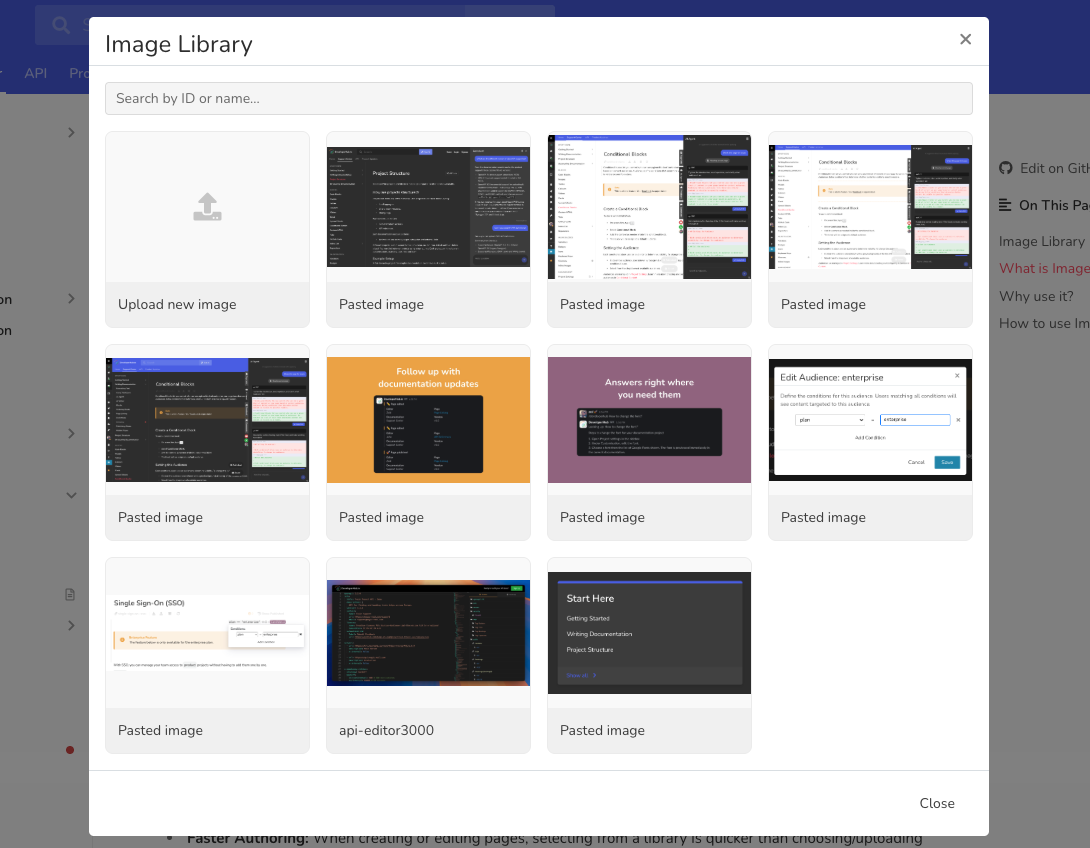
What is Image Library?
Image Library is a central repository of all the images you’ve uploaded in DeveloperHub.
Instead of uploading an image directly into a page, you can choose one from the library.
When you update or replace an image in the library, those changes propagate to all pages where that image is used.
This helps you maintain consistency, reduce duplication, and simplify updates across your documentation.
Why use it?
Reuse Efficiency: Upload once, use many times. No need to duplicate image uploads for every page.
Single Point of Update: If you need to update an image (e.g., correct a screenshot, change branding), you only update it in the library and all instances are updated automatically.
Better Content Hygiene: Keeps your documentation more maintainable, helps avoid outdated visuals, and makes it easier to manage large docs sets or multiple versions.
Faster Authoring: When creating or editing pages, selecting from a library is quicker than choosing/uploading new files each time.
How to use Image Library?
When you create or replace an image in image or inline image blocks, the Image Library will be displayed. Within the Image Library, you can view all the images you have previously uploaded, search for an image by its name or ID, and select an existing image or upload a new one.
By clicking on the menu , you can:
Edit the image name to help in organisation.
Replace the image with another one. This applies on all the pages it has been added to.