 Made in DeveloperHub

Dashboard is where every teammate should start their day.
What is in the Dashboard?
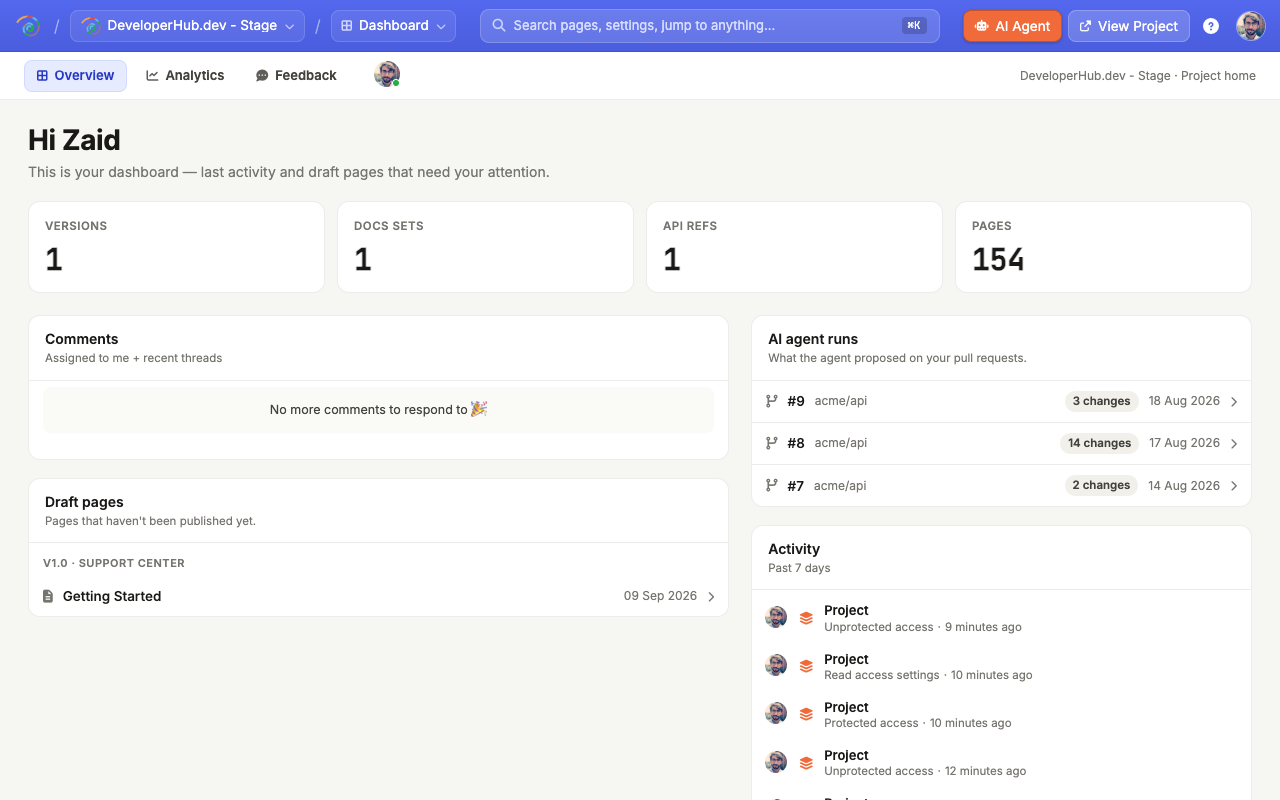
The dashboard helps your teammates find upcoming items as fast as possible. Its Overview tab shows:
A count of the versions, documentation sections, API references and pages in the project.
Comments: the unresolved comments that are assigned to you, and other recent threads.
Draft pages: pages that have not been published yet.
AI agent runs: what the AI Agent proposed on your pull requests, when Self-Updating Docs is set up.
Activity: the past 7 days of the activity log, so you keep up with your teammates.
Two more tabs sit next to Overview:
Analytics: search analytics. Understand how readers are using your search bar, and whether they are finding what they're looking for.
Feedback: read and analyse feedback trends on your pages.
How to get to the Dashboard?
To open the dashboard:
In the editor top navigation, open the scope picker and choose Dashboard.
You can also open Project Settings → Insights and click Open dashboard.