 Made in DeveloperHub

Gather feedback from your readers right away from the pages.
To ensure that your documentation is of high quality, up-to-date, and brings the needed information to your readers, then gathering feedback from your readers is of high importance. DeveloperHub brings feedback to your readers on the pages, and crunches the data out for you in the dashboard, so you can iterate on the docs and have happier readers.
How does Feedback work for readers?
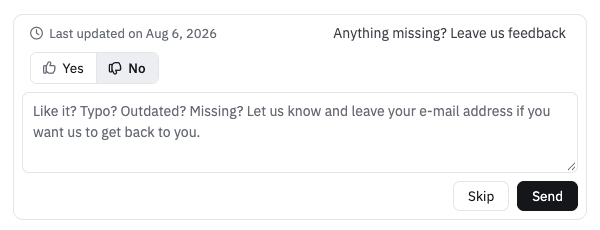
When enabled, a prompt at the foot of each page asks readers for feedback. The reader may respond with Yes or No. A text box then opens for them to explain their answer, which they can Send or Skip.
Where can I find the received Feedback?
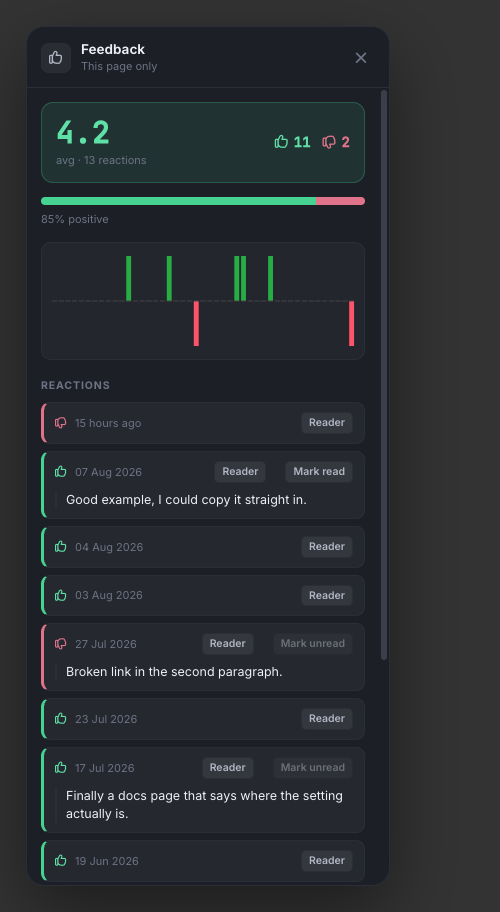
Feedback can be observed on two levels: Page and project. When a page is liked or disliked, you can view the average sentiment of the page on the right sidebar. You can also see the sentiment log over time, as well as the messages that you received for that page. You may mark the message as read.
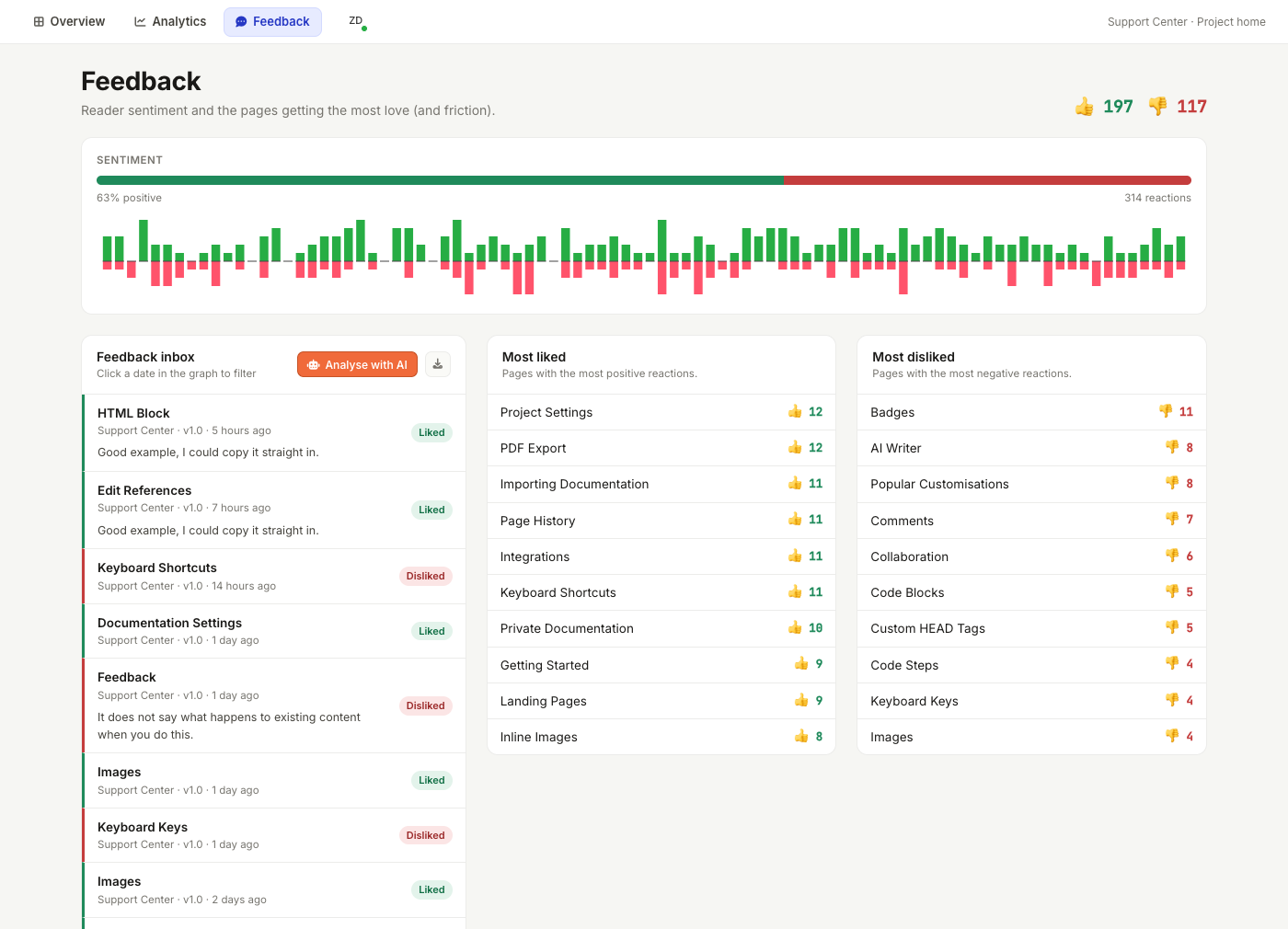
Also, in the dashboard, you are also able to see the sentiment for the project against time, as well as all the unread messages. Furthermore, you will find in the dashboard a list of the most liked pages as well as the least liked pages. You can use this information to apply the good documentation style applied in most likes pages into the least liked pages, and analyse the messages to learn how to make the pages better.
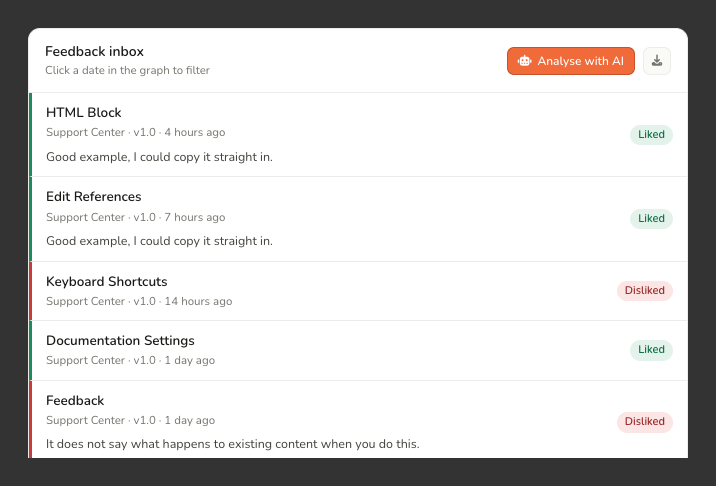
You can also download feedback as a CSV from the dashboard, using the download option next to Feedback Inbox.
Beside it, Analyse with AI hands the feedback to AI Agent. The agent opens with a request to read what readers liked and disliked, find the common themes, and name the pages to improve, ready for you to send. It needs a plan with AI features, the agent switched on for the project, and writer access or above.
Feedback can be marked as spam by anyone on the team. Feedback marked as spam would be minimised in the feedback dashboard. Spam feedback would not show up under the feedback sidebar of a page. Spam feedback does not count into any statistics nor would they be sent through our notification channels. You could also use an automatic spam filter.
Feedback Notifications
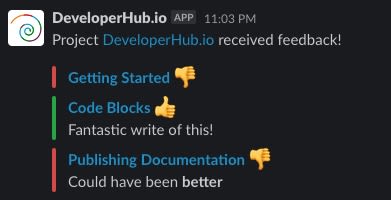
If you have a Slack channel connected to your project, then we will notify you on the Slack channel of the feedback that you have received.
We send out the notifications every hour.
Feedback Spam Filter
Feedback spam filter is disabled by default and can be enabled from Feedback Settings.
The spam filter flags any newly submitted feedback which has a message that looks useless, suspicious, spammy, too short, malicious or offensive as spam.
When the setting is enabled, any new feedback that contains a message would be sent to OpenAI for spam filtering.
Feedback controls can also be shown or disabled according to the referrer site (the site from which the reader has visited the docs). This can be useful if readers are mistaking your site for the support site of your own B2B customer. As an example, feedback controls can disabled according to referrer by adding the following Custom JS :
The same can be done to set up a referrer deny list.
Redact PII from Feedback
Personal identifiable information (PII) can be redacted from feedback automatically. It is disable by default and can be enabled from Feedback Settings.
The PII filter would redact any information that looks personal from feedback messages as they are submitted, such as names, phone numbers, email addresses, physical addresses, etc...
The PII cannot be recovered after it has been redacted.
When the setting is enabled, any new feedback that contains a message would be sent to OpenAI for PII redaction.
Feedback Settings
Every feedback setting lives in one place: Project Settings → General → Feedback. Change what you need there, then click Save changes in the top menu.
Under Reader feedback:
Collect feedback puts the reactions widget at the foot of every published page. It is on by default for projects created after April 2021.
Written messages lets readers say why in their own words instead of only reacting. It needs Collect feedback on, because the message box is rendered inside the widget, and it needs a plan that includes written messages. See Pricing.
Under AI moderation:
Redact personal information takes emails, phone numbers and names out of a message before it is stored.
Flag spam marks junk submissions so they stay out of the way of real feedback.
Both moderation settings need Written messages on, because a reaction carries no text to redact or classify, and both need a plan that includes AI features.
Turning any of these settings off is always allowed, whatever your plan. If your project is carrying a setting from a plan it has since left, you can still switch it back off.
Javascript Hook for Feedback
If you wish to send search analytics to third party services, you can use the onfeedback javascript event to listen to feedback events. See On Feedback.