Support Center
v1.0
Features
Comments
Title
Message
Create new category
What is the title of your new category?
Edit page index title
What is the title of the page index?
Edit category
What is the new title of your category?
Edit link
What is the new title and URL of your link?
Google Analytics
AI Tools
Summarize Page
Copy Markdown
Open in ChatGPT
Open in Claude
Connect to Cursor
Connect to VS Code
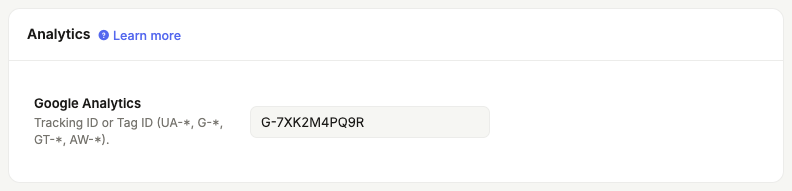
Supercharged plan users can integrate DeveloperHub with Google Analytics to track page views. You can use both Universal Analytics or Google Analytics 4 IDs.

Setting up Google Analytics
- Click on Project Settings
in the sidebar to access Google Analytics settings under Integrations for Customers.

- You should already have a property set up for the documentation subdomain on Google Analytics.
- Paste the tracking code from Google Analytics. Universal Analytics IDs looks like
UA-XXXXXX-YY. Google Analytics 4 IDs look likeG-XXXXXXXX. - Enter it in the input field and save.
You can now track page views on Google Analytics.
Type to search, ESC to discard
Last updated by Zaid Daba'een on Jun 27, 2022
Anything missing? Leave us feedback
Next to read:
IntercomNeed help? Visit our community forums or contact us.
Discard Changes
Do you want to discard your current changes and overwrite with the template?
Archive Synced Block
Message
Create new Template
What is this template's title?
Delete Template
Message