 Made in DeveloperHub
Simplify generating a useful META description of pages using AI. This feature uses OpenAI GPT models.
How to use AI SEO Helper?
To use an AI generated META description of a page:
Open the page in the editor.
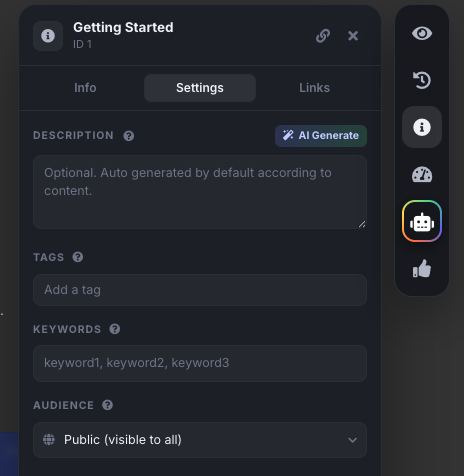
Click on Page Info in the right sidebar.
Open the Settings tab. Next to Description, click AI Generate. It will take a few seconds.
You may modify the description if needed.
Click Save.
What data is sent to the LLM?
When generating META descriptions for a page, a plain text version of the page content is sent to the LLM. If the page is in draft mode, the draft content is sent instead.
Anything missing? Leave us feedback