 Made in DeveloperHub

There are three ways to format your text:
Using Toolbar
To format text in your documentation, highlight with your cursor the chunk of text you want to format. A toolbar like this one will show.
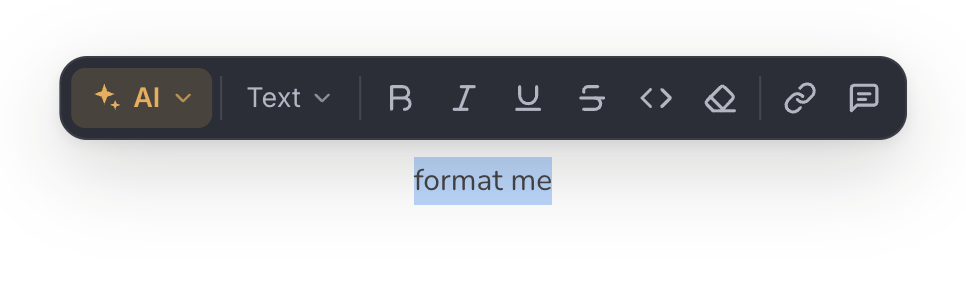
Using the toolbar you can do the following:
Bold
Italics
External link
Heading 2
Heading 3
Heading 4
Unordered list
Ordered list
Inline code
Comment
And you can use AI Writing Tools.
Tips & Tricks
Ordered List Numbering
In case you interrupt the ordering of a list by adding a block, you can resume the ordering by typing on a new line the number, dot and a space, such as 5. .
Furthermore, you can click on an ordered list's drag handle to set the start numbering.
Hungry for more?
If you need more formatting options, speak to us!
Was this page helpful?