 Made in DeveloperHub

No documentation can be complete with just text.
To add more than text to your documentation, just hit / anywhere in your documentation, search, and select the block you need.
The blocks menu will show, just like this one:
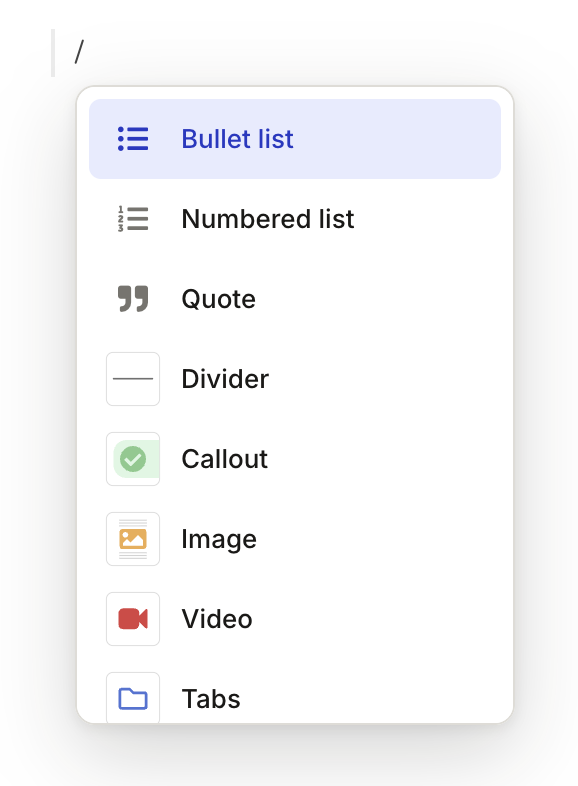
DeveloperHub supports the following blocks:
Code Blocks Pretty-formatted codeImages Full-size zoomable imagesTables Supports inline mediaCallouts Highlight notes for readersVideos Embed from YouTube, Vimeo, Loom or upload your ownCards The exact block that makes this cardSynced Blocks Single-sourcing tool to reuse contentCustom HTML Embed anything in the pageTabs Split content for different user typesGitHub Code Embed GitHub codeIndex List List the child pages under a parent page automaticallyConditional Block Conditional content based on user variables
And the following inline blocks. Inline blocks go on the same line as text. DeveloperHub supports the following inline blocks:
Link to Page Internal dynamic linkingVariables Personalise documentationGlossary Define terms and definitionsInline Images Small images that sit within a line of textBadges Highlight text or use it for changelogsIcons Font awesome iconsKeyboard Keys UI for keyboard keys
Emojis
We have support for emojis everywhere, so if you felt the need to express using emojis then don't be shy 😄
Adding Empty Line around Blocks
To add an empty line above a block, hover over it and click the + button that appears to its left.
Was this page helpful?